Choose Which Site You Want To See



CCleaner - Piriform Software is a software developer known for creating system optimisation and device management tools designed to help users organise, maintain, and monitor their computers.
Its products focus on simplifying routine tasks such as clearing temporary files, reviewing startup items, and assessing general device performance. The brand offers tools for both casual and more experienced users who want clearer oversight of their system activity. It may suit individuals looking for straightforward utilities that provide visibility into how their devices are functioning, without requiring technical knowledge. Features vary by product, so users can explore options that align with their specific maintenance preferences and comfort levels.
CCleaner, developed by Piriform Software, is a long-established name in the PC optimisation and maintenance space. It focuses on tools designed to help users manage storage, remove temporary files, review startup items, and gain more visibility over everyday system behaviour. Within the broader category of computer utilities, the brand presents itself as an accessible and widely recognisable option that appeals to users looking for a straightforward way to manage routine device clean-up tasks.
The software has been available for many years and is used across a wide range of devices, including Windows PCs, macOS machines, and Android smartphones. This cross-platform approach supports its positioning as a general-purpose maintenance utility rather than a niche or specialist toolkit. The company behind CCleaner, Piriform Software, is now part of a larger software group, and this integration has supported ongoing development while maintaining the product’s original focus on ease of use.
Within the market for optimisation tools, CCleaner typically sits in the mid-market segment. It aims to provide a balance between accessibility, essential maintenance functions, and optional premium features. The interface is designed to be simple to understand, which has historically contributed to its broad recognition. For users, this means expectations usually centre on clarity, familiarity, and routine system upkeep rather than complex or highly technical diagnostic functions.
This review explores how CCleaner works, the types of tools it offers, who it may be suitable for, and what kind of experience users can generally expect. It aims to support readers in understanding the product from an editorial perspective rather than directing decisions or making performance claims.
Browse the full range on the CCleaner - Piriform Software website.
The core of CCleaner centres on tools that scan for temporary files, cached data, and other items that commonly accumulate during routine computer use. These tools aim to help users review files that may no longer be needed. The section forms the foundation of the product’s positioning as a system maintenance utility.
This category includes features that allow users to view programs configured to launch at startup. The tools provide a clear list of scheduled tasks and background apps, helping users understand which processes load automatically and where adjustments may be possible. These functions support users who want more visibility into device behaviour.
CCleaner incorporates a simple program management interface that displays installed applications and related information. Users can review items and make changes where appropriate. This builds on its identity as a general utilities suite rather than a single-purpose cleaner.
For Windows devices, CCleaner includes optional tools that scan the system registry and present entries that may be candidates for review. These tools are presented with caution messaging and reflect long-standing utility traditions. They contribute to the product’s recognisable feature set.
This section offers a tool that scans for available driver updates. It aims to provide a convenient overview for users who prefer not to check each component manually. As a premium feature, it aligns with the brand’s tiered approach to functionality.
CCleaner’s optimisation section includes items such as health checks, performance review suggestions, and visibility into resource usage. These tools position the software as a general PC maintenance assistant rather than a deep technical diagnostic system.
The software includes features that help users review browser-related data such as cookies and cached information. These tools support users who want routine housekeeping across multiple applications, reflecting ongoing public interest in privacy-related settings.
This tool scans installed applications and highlights where updates may be available. The feature appeals to users who prefer consolidated visibility over update status across various applications.
On Android, CCleaner offers functions adapted to mobile devices, such as storage review and temporary file scans. This supports the brand’s multi-platform presence and reinforces its role as an accessible maintenance toolset.
CCleaner positions itself as a practical and approachable solution for routine device upkeep. The brand’s long history in the utilities market has shaped its identity around familiarity and simplicity. Its operating model centres on providing a combination of free essential tools and optional premium features, giving users flexibility in how they engage with the software.
The brand emphasises clear interface design and modular functionality. Tools are grouped into logical categories, helping users navigate without needing advanced technical background. The overall positioning is mid-market rather than specialist, focusing on everyday accessibility and well-known system maintenance functions.
Interacting with CCleaner typically involves a guided layout with clear categories and straightforward navigation. Many users encounter a dashboard-style interface that highlights system status and potential housekeeping tasks. Information is structured in a way that supports both new and long-time users.
In terms of usability, CCleaner is known for presenting options in plain language. This approach helps reduce uncertainty for users who are less familiar with the technical aspects of PC maintenance. Onboarding steps vary depending on platform, but the overall structure generally remains consistent across devices.
Accessibility is further supported by a predictable layout and short explanations within tool descriptions. This consistency contributes to its long-running presence in the device maintenance category.
CCleaner is known for its system cleaning and maintenance tools. It provides functions that help users review temporary files, manage startup items, and understand system behaviour. Over time it has become a recognisable name in the PC utility category.
CCleaner operates as a modular software suite that groups maintenance tools into organised sections. Users can run standard scans, explore optional features, or review system information. The software follows a freemium model, offering a core set of tools with upgrades available.
CCleaner is commonly used by people who want a clear and accessible way to manage general system maintenance. It also attracts users who prefer structured tools rather than manual review of device settings.
CCleaner can be suitable for beginners due to its straightforward layout and descriptive labels. The software is designed to present information in a way that does not rely on advanced technical experience.
CCleaner generally focuses on accessibility and familiarity compared to alternatives that might target advanced diagnostics or specialist optimisation. Its approach centres on routine PC housekeeping tools.
Users should know that CCleaner is a general-purpose utility rather than a specialised system repair tool. It is intended for routine maintenance tasks, and some optional features require a premium subscription.
CCleaner remains one of the more recognisable names in the computer utility category, with a focus on providing tools for routine housekeeping and system visibility. The brand’s long-standing presence contributes to its familiarity among users who prefer structured maintenance options without needing advanced technical expertise. Its interface reflects a commitment to clarity, grouping functions in a way that supports confidence and accessibility.
The software offers a balance of basic features and optional premium capabilities, reinforcing its mid-market positioning. While alternatives in the optimisation space may focus on specialised diagnostics or advanced tuning, CCleaner maintains a clear focus on everyday tasks, such as reviewing files, checking startup behaviour, and understanding general system status. This makes it a realistic option for users who value simplicity and routine device management.
Overall, CCleaner continues to provide a consistent experience built around practicality and ease of use. It remains a tool that helps users understand and manage common aspects of device maintenance, forming a steady presence in a continually evolving software landscape.
Ready to shop? See the full range on the CCleaner - Piriform Software website.
This guide was written by AI. It does not represent the views or opinions of the website owner.
Updated October 2026

Adobe Presenter 11 software lets you create HD video lectures for classroom teaching, distance learning, flipped learning and MOOC sessions. Simultaneously capture your screen content along with your webcam video or turn your slides into interactive eLearning with out-of-the-box assets and...
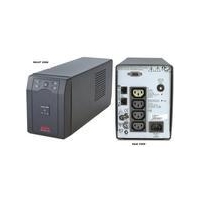
For the replacement battery please see Quick Find 2983. APC Smart UPS SC is ideal for small and medium businesses looking to protect entry-level servers and networking equipment from power disturbances and outages. The Smart-UPS SC features network grade runtime, hot swap batteries, and built-in...

Discover the powerful and affordable CAD software that transforms 2D designs into 3D reality. CorelCAD 2016 provides customizable 2D drafting tools and superior 3D design tools within an interactive workspace to achieve your CAD goals in all types of industries. Increase your workflow productivity...

Create your best photos ever with Corel PaintShop Pro X7. With smarter editing features, 30% faster brushes, creative tools and easier color selection, this complete photo-editing software helps you turn your snapshots into beautiful, gallery-worthy images. A great fit for all skill levels,...

MAGIX Video Pro X7 is the perfect editing software for intuitive and powerful video production. This multi-award-winning video editing suite is geared towards the unique requirements of ambitious and professional users, and offers an unrivaled range of powerful post-production tools. Video editing...

MAGIX Audio Cleaning Lab 2016 was developed to let you get the most out of your audio material in the shortest possible time. Fade out noise and get away from the daily grind too. Easy handling, thematic sound settings, and professional audio technology make this software a true multi-tool for...

With MAGIX Music Maker software, making your own music has never been simpler. Produce your own songs easily on your PC using the mouse and keyboard. Feel good tracks will be pumping through your speakers in just a few simple clicks!

From the market leader for video software:MAGIX presents Video Pro X, a high-performance video editing program for professional and ambitious users with high standards. Highly developed video technology, optimal workflow, a flexible user interface, and diverse functions specifically for the special...
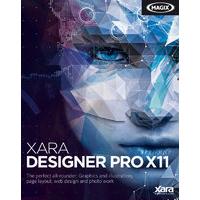
Xara Designer Pro X11 is the complete design software solution. It brings together web design, image editing, graphic design, desktop publishing (DTP) and presentation in a single program. It's not only practical, but hugely efficient. Add designs to business cards, websites and presentations in a...
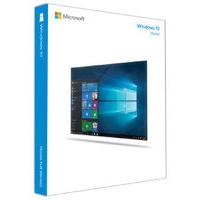
Windows 10 is the best ever - familiar, easy to use, and packed with great new features for staying organized, having fun, and getting things done. It\'s the Windows you love - and the Windows you can\'t wait to get. Product Features: Familiar and easy to use. The familiar Start menu is back and...
PaperPort 14 is the popular scanning and document management software application designed for home office use. An easy-to-use combination of traditional file cabinet and digital document desktop, PaperPort 14 enables you to scan, organize, find, and share all of your documents and photos from your...

PDF is the standard format for business document collaboration. Yet, most users lack adequate PDF power. The high price of competitive solutions makes powerful PDF software unobtainable for most while the limited capabilities of low-priced alternatives leave users powerless. As a result,...
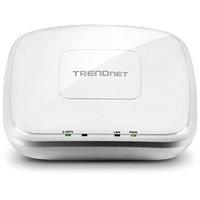
TRENDnet’s high performance N300 PoE Access Point, model TEW-755AP, supports Access Point (AP), Client, Wireless Distribution System (WDS) AP, WDS Bridge, WDS Station, and Repeater modes. It generates a 300 Mbps WiFi N network and features a Gigabit PoE port. The included Windows-based software...

InFocus BigNote software turns your InFocus BigTouch all-in-one touchscreen PC into an interactive whiteboard. Take notes, sketch, annotate, and share your work with this easy-to-use app.

Tacx Trainer Software 4.0 takes you into a virtual world that allows you to enjoy a variety of virtual terrains as you train indoors. You can enjoy lifelike interactions with riders, cars and other elements as you battle against intelligent opponents; they can jump away and challenge you, so you...

VDO make some of the best cycling computers on the market today. With this kit you can now easily connect your ZPC series computer to your home PCSoftware Features:Software to allow computer docking for ZPC series computers

VDO make some of the best cycling computers on the market today. With this kit you can now easily connect your ZPC series computer to your home PCSoftware Features:Software to allow computer docking for ZPC series computers

The Upgrade Smart enables you to connect a Smart trainer to your Windows computer and expand your training options. The Upgrade Smart is specially developed for the Smart series. The Tacx Trainer software 4, Advanced offers a wide variety of functionalities like longer videoâs in HD or Blu-ray...

Just like the Genius Smart, the i-Genius Multiplayer Smart uses the most advanced resistance unit and software which analyses performance and simulates bike courses very accurately. The wireless motor brake converts the properties of the terrain into resistance on the bike, in a highly realistic...

Small, portable and easy to operate High resolution monochrome LCD display Rapid ECG & heart rate measurement by recording a 30-second ECG waveform Measurement of one channel ECG anytime anywhere Gain mode available for signal amplification Analysis & report display of 17 types of ECG waveform...

Record documents and notes on the move in high quality. Back at your desk simply connect the recorder to your computer transfer your files and let the included software automatically turn your speech into text. The two b...

Train planning software on CD-ROM for Märklin and Trix model railway sets. New version 5.0. Many useful planning tools for a quick and easy creation of the required set up to 15 x 15 m on up to 99 levels. Quick selection of the pieces of track and accessories from tables, automatic connection of...

The Celestron USB to RS-232 Converter Cable (18775) with Software is used to convert Celestron\'s standard RS-232 (serial) cable into a USB cable.

What\'s in the box:Earphone, Charger Adapter, Battery, Clip Cord, Antenna, Walkie Talkie; Material:Plastic; Walkie Talkie Type:Handheld; Accessories Type:Clip Cord, Antenna, Earphone, Charger Adapter, Battery; Maximum Range:3KM-5KM; Frequency Range:400-470MHz; Function:Low Battery Warning,...

Today\'s distributed mobile workforce requires secure remote access to corporate network resources. Network security administrators need a VPN client solution that is simple to deploy, manageable, and completely secure. The NETGEAR ProSafe VPN Client Professional software delivers the ideal...

SpeechExec PRO transcribe software, LFH2330 USB foot control, LFH334 earphones, includes licence . Encrypted data transfer complies with the latest IT security standards, graphical position indicator, automatic built-in file management file is moved

SpeechExec transcribe software comprising LFH2330 foot control, LFH334 earphones, includes licence . Job status indicator, audio volume controlmeter, audible scan, automatic transfer of dictation files via a network, playback of dss, wav, wma, mp3
 Any Desk
 My Day
 We Are 8
 Retire Easy
 Music Gateway
 Keycense
 Arkive